Chapter 1.
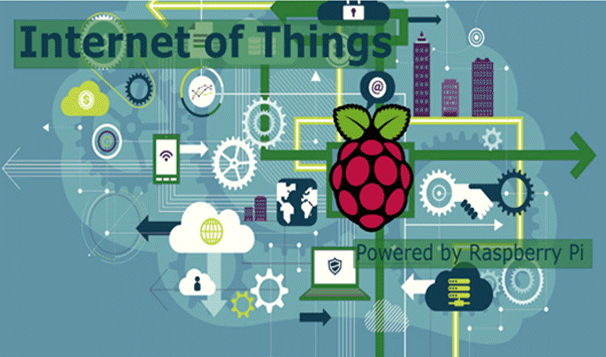
Introduction
[tmpmela_list][list_item icon=”fa fa-check-circle” color=”#b53b8c”]Introduction of Raspberry Pi???s Hardware and Pheripherals[/list_item][list_item icon=”fa fa-check-circle” color=”#b52f88″]Setting up your Raspberry Pi.[/list_item][list_item icon=”fa fa-check-circle” color=”#b52f88″]Installing the NOOBS Operating System on Raspberry Pi.[/list_item][list_item icon=”fa fa-check-circle” color=”#b52f88″]Become confident using your Raspberry Pi as a desktop-style computer.[/list_item][/tmpmela_list]
Chapter 2.
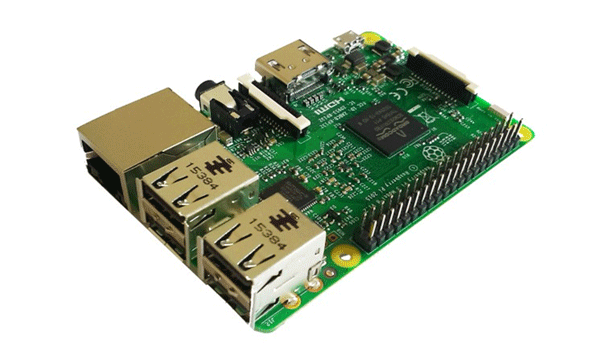
Linux Basics.
[tmpmela_list][list_item icon=”fa fa-check-circle” color=”#b53b8c”]Basics of Linux.[/list_item][list_item icon=”fa fa-check-circle” color=”#b52f88″]How to run the Linux commands.[/list_item][list_item icon=”fa fa-check-circle” color=”#b52f88″]Updating your Raspberry Pi software using Linux command. [/list_item][/tmpmela_list]
Chapter 3.
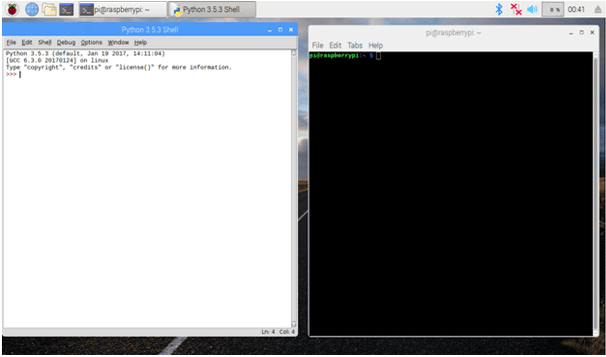
Python Basics.
[tmpmela_list][list_item icon=”fa fa-check-circle” color=”#b53b8c”]How to use Python IDLE.[/list_item][list_item icon=”fa fa-check-circle” color=”#b52f88″]Basic Programming in Python.[/list_item][list_item icon=”fa fa-check-circle” color=”#b52f88″]Running Python Programs from the terminal.[/list_item][/tmpmela_list]
Chapter 4.
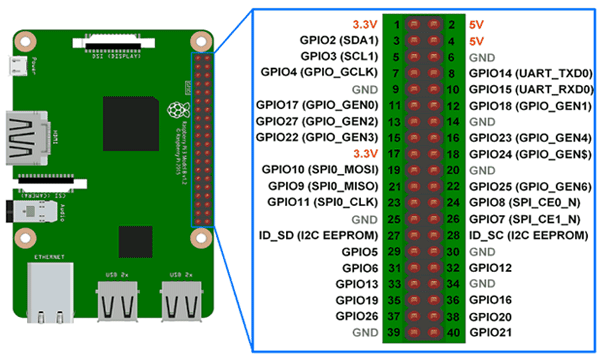
GPIO Basics and LEDs.
[tmpmela_list][list_item icon=”fa fa-check-circle” color=”#b53b8c”]Installing RPi.GPIO.[/list_item][list_item icon=”fa fa-check-circle” color=”#b52f88″]Understanding GPIO Pin Numbering System.[/list_item][list_item icon=”fa fa-check-circle” color=”#b52f88″]Connecting LED.[/list_item][list_item icon=”fa fa-check-circle” color=”#b52f88″]Controlling the Brightness of an LED.[/list_item][list_item icon=”fa fa-check-circle” color=”#b52f88″]Controlling LED using Push button[/list_item][list_item icon=”fa fa-check-circle” color=”#b52f88″]Make a Buzzing Sound.[/list_item][/tmpmela_list]
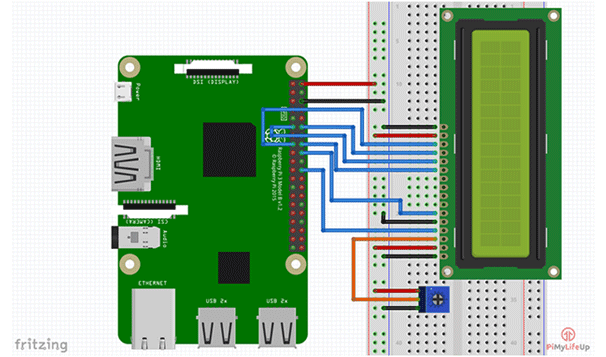
Chapter 5.
LCD displays.
[tmpmela_list][list_item icon=”fa fa-check-circle” color=”#b53b8c”]Wiring of LCD screen with Raspberry Pi.[/list_item][list_item icon=”fa fa-check-circle” color=”#b52f88″]Installing the Library for LCD display.[/list_item][list_item icon=”fa fa-check-circle” color=”#b52f88″]Displaying a message in LCD screen.[/list_item][list_item icon=”fa fa-check-circle” color=”#b52f88″]Knowing the status of the LED.[/list_item][list_item icon=”fa fa-check-circle” color=”#b52f88″]Scrolling of text.[/list_item][/tmpmela_list]
Chapter 6.
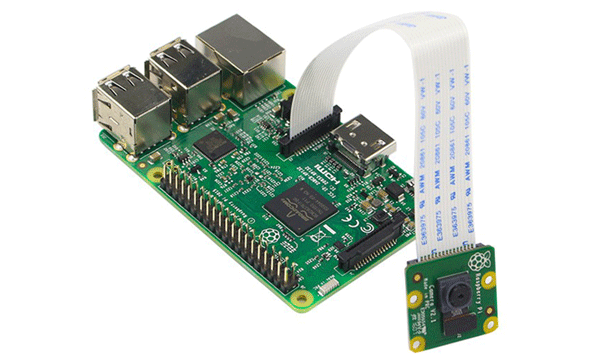
Interfacing camera module.
[tmpmela_list][list_item icon=”fa fa-check-circle” color=”#b53b8c”] Introduction to camera module.[/list_item][list_item icon=”fa fa-check-circle” color=”#b52f88″]How to enable the camera module and getting start with it[/list_item][list_item icon=”fa fa-check-circle” color=”#b52f88″]Capturing the Image.[/list_item][/tmpmela_list]
Chapter 7.
How to use Bluetooth and IoT
- Installing Required librarys for Bluetooth and IoT.
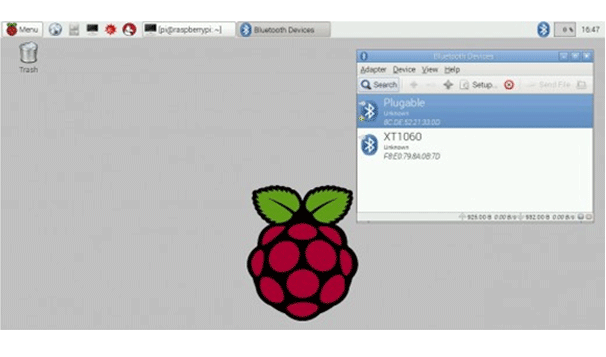

- Bluetooth based Home Automation System.
- IoT based Home Automation System.